Basics
Learning how to use CSS code isn't as difficult as it seems! CSS, otherwise known as Cascading Style Sheets, lets you efficiently style your HTML code. There are hundereds of different things you can do to your website to effectively style your website!
<Style></Style>
Before anything, a set of <style></style>tags are required so that you can successfully style your website. Within these style tags, you can use different code to change the layout, colors, fonts, etc.
Depending on how you set up your HTML code, you'll either have to use the code Header {} or #Header {} if you used div tags.
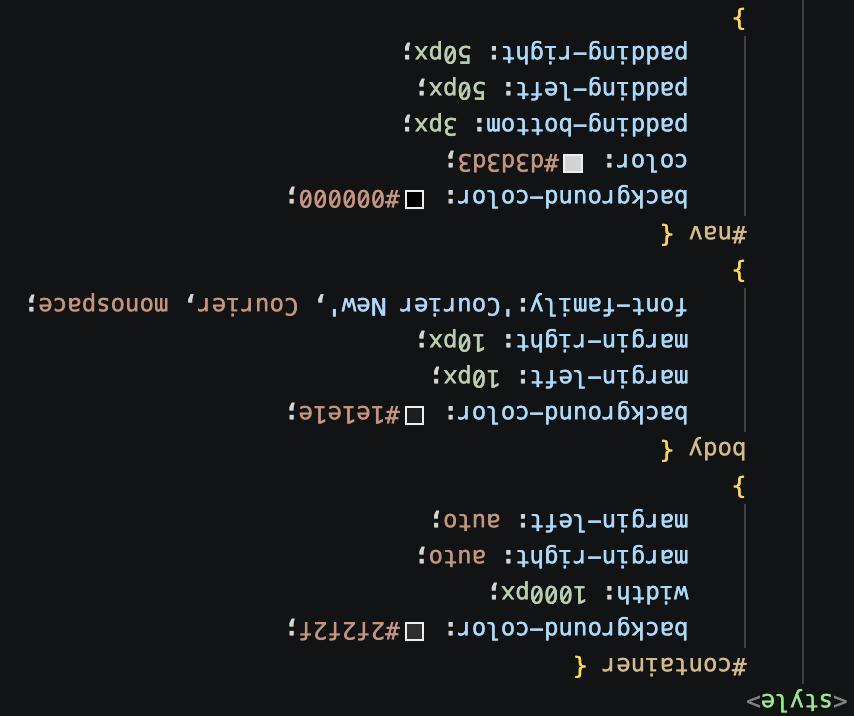
Listed below are some examples of CSS code you can use to customize your website.
- Background Color Change - background-color: #_______
- Changing the Font - FontFamily: _______
- Text Alignment - Text-Align: _______
CSS Code Example
Conclusion
Lets be real, no one is going to stay on a website that doesnt look aesthetically pleasing. Having the knowledge of CSS coding can mean the difference between success and failure when it comes to grabbing someones attention. Just from what I learned from this course about CSS coding, I have been able to effectively section my website off, so I can navigate it easier!